7 common mistakes in AI subtitle workflows
Shipping AI auto-captions verbatim is easy to overlook. Proper nouns, spelling, timing, readability, language mixing — what to avoid and how to fix it.
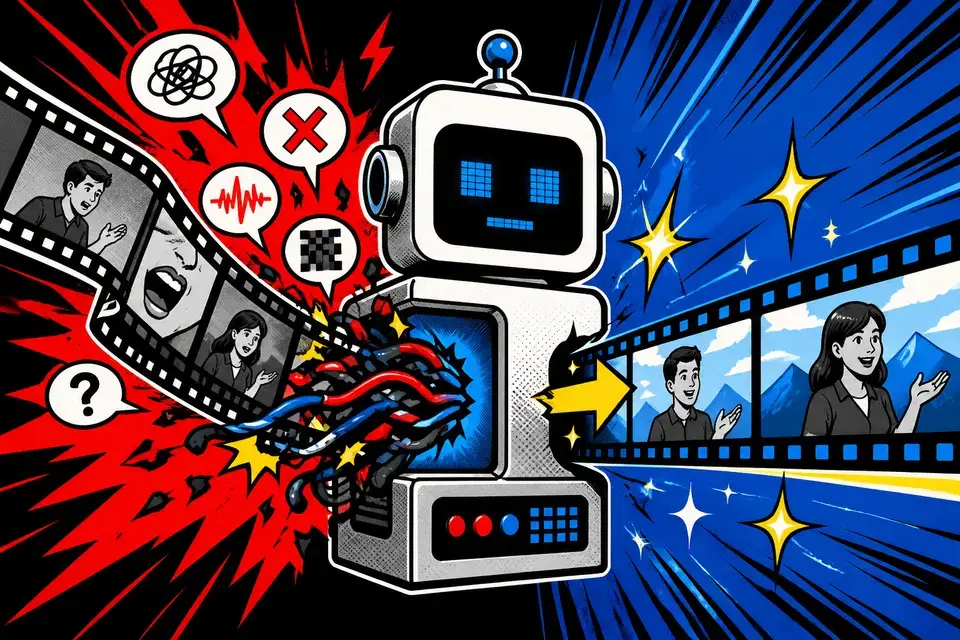
✅ 3-minute summary — 5-step subtitle routine (1 hour → 10–20 min)
1. Auto-generate
2. Bulk-replace proper nouns and numbers
3. Strip fillers and errors
4. Adjust timing (only on outliers)
5. Check style against Channel Rules
Mistake 1 · Proper nouns
"Musk → Mask", "Socar → Soka", "Tesla → Tessla" type misrecognition.
Fix: keep a per-video proper-noun list → bulk-replace with Ctrl+F in the caption editor.
Mistake 2 · Numbers spelled phonetically
| Voice | Subtitle |
|---|---|
| Three thousand people | 3,000 people |
| Two thousand twenty-six | 2026 |
| Kilometer ↔ km | Pick one and stay consistent |
Mistake 3 · Timing drift
- Minimum on-screen time per line: 0.8–1.2s
- Shorts: recommended 1.5s
- Leave 0.3s after the sentence ends
Mistake 4 · Line overflow
| Length | Readability |
|---|---|
| 18–24 chars | ✅ Comfortable |
| 25–30 chars | ⚠️ Borderline |
| 30+ chars | ❌ Hurts |
💡 MeteorStudio wraps Korean lines without breaking words mid-syllable.
Mistake 5 · Fillers verbatim
- ❌ "uh…", "um…", "you know"
- ✅ Keep emotional fillers ("whoa!", "huh!") intentionally
Mistake 6 · Inconsistent EN/KR spelling
| Type | Recommended |
|---|---|
| Clear brand English | YouTube, Netflix |
| Established loanwords | app, channel, content |
Register them in Channel Rules → team-level auto-consistency.
Mistake 7 · Low color/font contrast
- ✅ Subtitle vs background brightness gap ≥ 60%
- ✅ Bold or SemiBold↑
- ✅ Outline or translucent background box
- ✅ Shorts: bigger and bolder
Pre-publish checklist
- [ ] Proper-noun replacements done
- [ ] Numbers and units consistent
- [ ] Minimum on-screen time met
- [ ] 18–24 chars per line
- [ ] Fillers cleaned
- [ ] EN/KR spelling consistent
- [ ] Mobile contrast holds
FAQ
Do subtitles raise retention?
Many mobile viewers watch muted → typically fewer early drop-offs. Low quality flips this.
Use auto-translation as-is?
Domestic OK. Global → manual review required (cultural context, local spelling).
Export to SRT for external editing?
Supported. External edit → re-upload → final render.
Read next: Pre-publish checklist · Channel rules
💡 MeteorStudio caption editor = replace + min-display time + channel rules in one place.
Note: Voice recognition quality varies by environment. Don't ship AI drafts unreviewed.
Related posts
![Complete YouTube beginner creator guide [2026] cover image](/_next/image?url=%2Fimages%2Fblog%2Fbeginner-creator-guide.webp&w=3840&q=75)
Complete YouTube beginner creator guide [2026]
From starting a channel to your first 1000 subs. Channel setup, topic picking, production, and Shorts strategy — a complete beginner playbook.

5 ways for solo creators to automate video production
How to run a YouTube channel alone and still publish daily. Use AI automation to cut planning-through-editing time by 5×.
Efficient ways to run a YouTube channel as a team
How to run a YouTube channel efficiently with editors, writers, and managers. Role allocation, approval workflow, and tooling — a complete team-operations guide.
Get started with MeteorStudio
Try video production, trend analysis, and channel insights — free.
Start free