How-To· 7 min read
5 ways for solo creators to automate video production
How to run a YouTube channel alone and still publish daily. Use AI automation to cut planning-through-editing time by 5×.
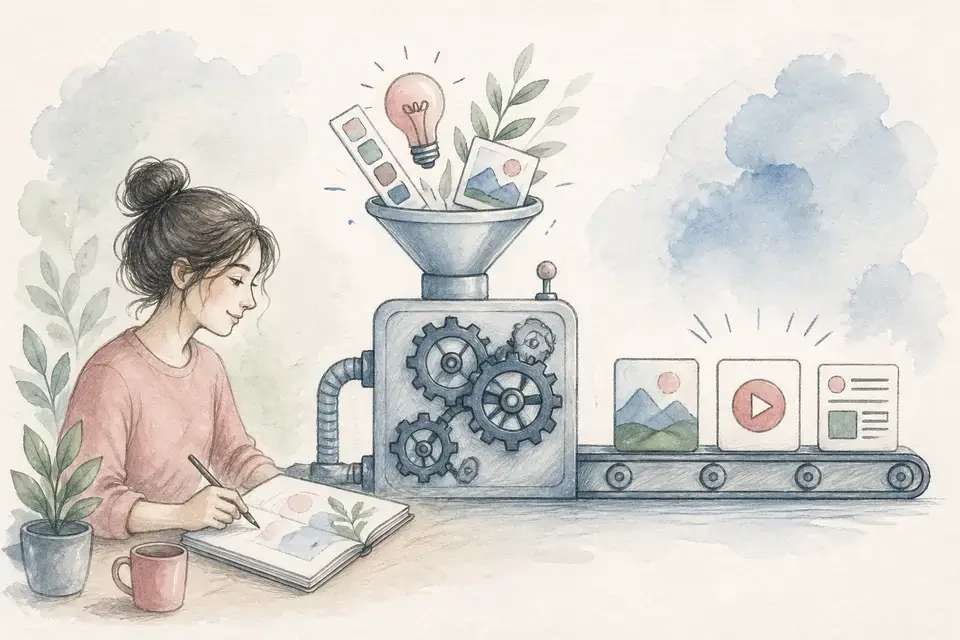
✅ 3-minute summary — 5 solo-creator automations
1. Topic → Trend Explorer
2. Script → enter the topic, get an auto-draft
3. Video → stock + captions + BGM auto-assembled
4. Reuse → 1 long-form → extract 3–5 Shorts
5. Schedule → Production calendar + Queue alerts
A 20-minute daily workflow
| Time | Task | Duration |
|---|---|---|
| 09:00 | Pick topic on Trends | 5 min |
| 09:05 | Build Short in Shortform mode | 10 min |
| 09:15 | Thumbnail in Image gen | 3 min |
| 09:18 | Upload | 2 min |
| Total | One Short | 20 min |
💡 20 minutes/day = one Short/day.
⚡ Automate with MeteorStudio.
#solo creator#video production automation#AI video editing#YouTube automation#solo YouTuber
Related posts
![Complete YouTube beginner creator guide [2026] cover image](/_next/image?url=%2Fimages%2Fblog%2Fbeginner-creator-guide.webp&w=3840&q=75)
How-To
Complete YouTube beginner creator guide [2026]
From starting a channel to your first 1000 subs. Channel setup, topic picking, production, and Shorts strategy — a complete beginner playbook.
10 min readRead
How-To
Efficient ways to run a YouTube channel as a team
How to run a YouTube channel efficiently with editors, writers, and managers. Role allocation, approval workflow, and tooling — a complete team-operations guide.
6 min readRead
How-To
Get started with MeteorStudio — your first video in 5 minutes
From signup to your first finished video in 5 minutes. Step-by-step start guide, core features, and free trial.
5 min readRead
Get started with MeteorStudio
Try video production, trend analysis, and channel insights — free.
Start free